
#Introduction

Every answer is grounded in facts on your site

This is a RAG Chatbot plugin focused on answering from your site's content. But you do not need to build a separate RAG vector database, because the articles, categories, and product pages accumulated over years on WordPress are already a RAG database. The real problem is that the AI agent does not know where to start reading your site.

RAG Chatbot for WordPress, Powered by RAG Sitemap

A Chatbot That Needs No Vector Database

The site itself is the RAG database; there is no need to build a separate vector database, because from the moment you set up the site you also began building this database. When you publish an article in WordPress, you do four things at once: pick a category, write a title, write a summary, and publish to a hierarchical permanent URL. Every post embeds a knowledge node with hierarchy, meaning, and an address into your site's tree structure.

When a visitor asks a question, RAG Chatbot does not let the LLM find answers in its training data; it first finds the matching content fragments from the RAG Sitemap, hands them to the responding AI, and requires it to answer only from what was retrieved from your site, rather than improvising a passage that merely sounds plausible.

— Setting an article's category is itself building progressive RAG.

RAG Harness Engineering
& Prompt Cache

This is a RAG AI chatbot designed for visitors. Behind every visitor question are the three AI APIs of RAG Harness Engineering: see, retrieve, answer. Each AI node filters context, so by the time it reaches the AI API that generates the response, only a clean recipe is left: SOUL plus retrieved content plus answer rules plus the original question. Each AI API can be freely configured with a different model: the cloud offers Mistral, OpenAI, Gemini, xAI, and others, while for local compute the only current recommendation is vLLM.

Across the whole pipeline, the biggest token consumer is input, not output, at an input-to-output ratio of about 10 to 1, and the largest shares — the prompt, the Master Sitemap, and every page or article chunk — are all static content that can go into the prompt cache, so from the second query on, the largest cost item drops to loose change.

— You pick the model; you control the cost.

Mistral Cerebras Cloudflare Claude xAI Google vLLM OpenRouter OpenAI Vercel Groq

A Chatbot That Won't Become a Burden

RAG Chatbot's long-term operating cost can be pushed to $0: by splitting traffic across the free API tiers of Cerebras and Gemini Flash, it can answer at least 50 times a day, enough to support a portfolio, a personal site, or other low-to-medium-traffic sites. Even with the most entry-level paid model, each answer costs only $0.0012.

— RAG Chatbot adds no markup on any token.

/wordpress-native-chunking

Wordpress Content
GPU LOAD 34%
MEM USAGE 5.8GB

#Chatbot UI Design Preset

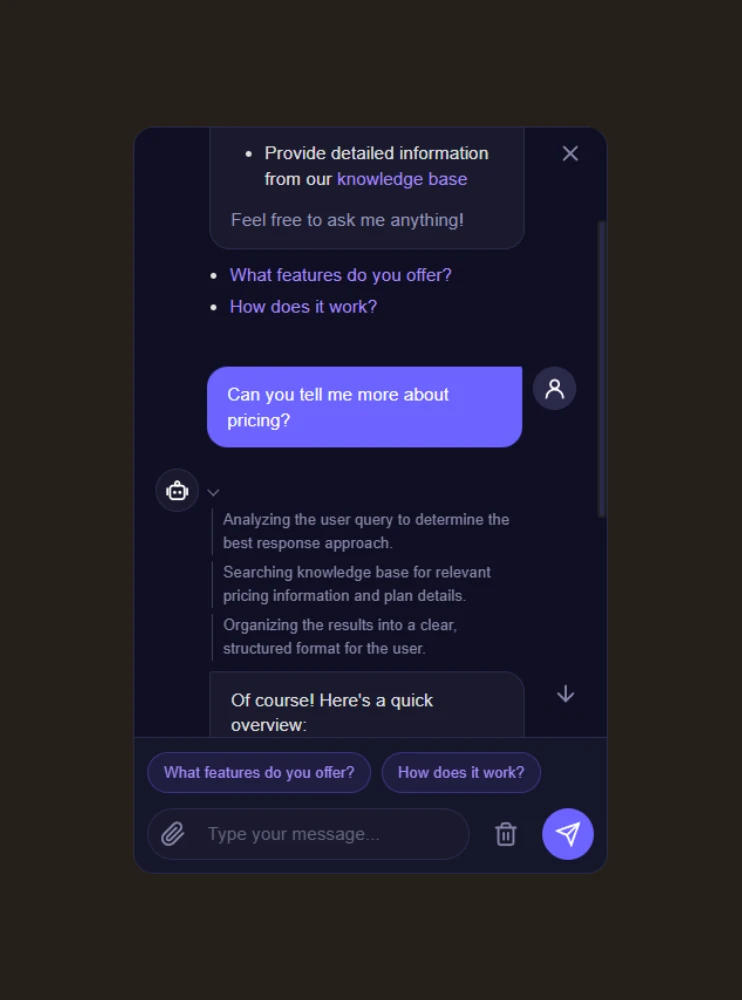
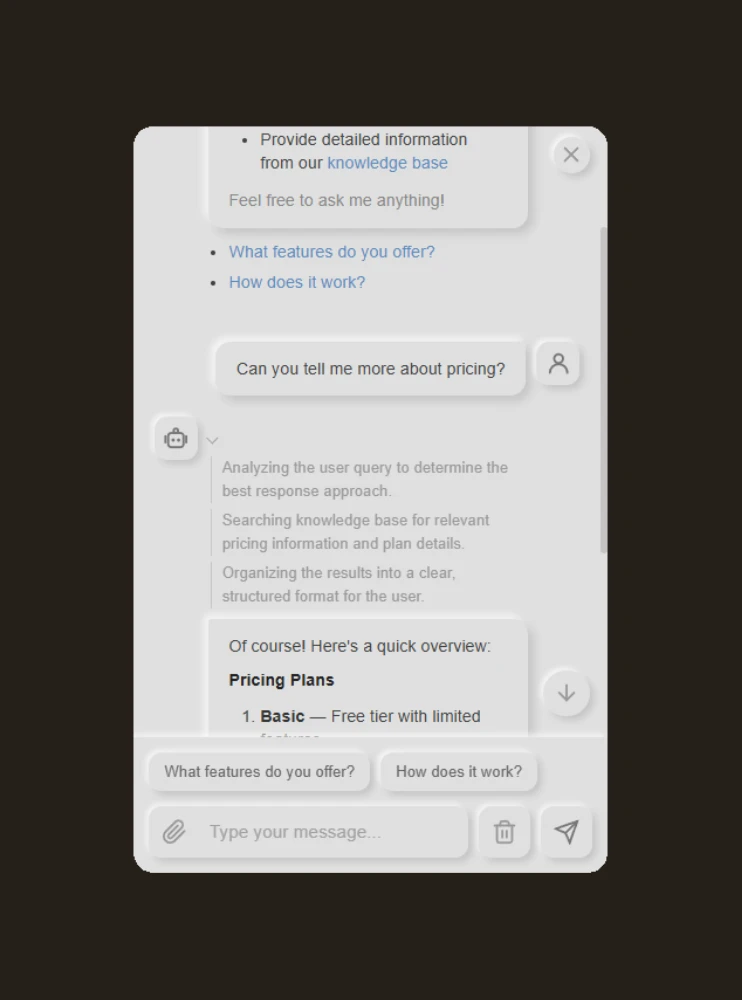
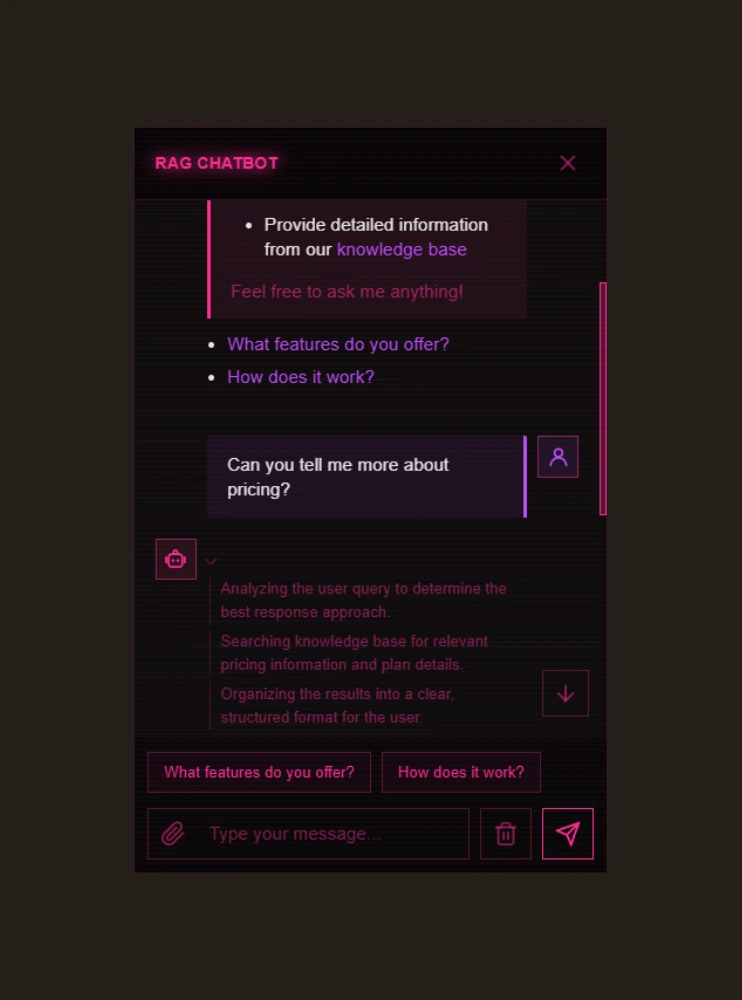
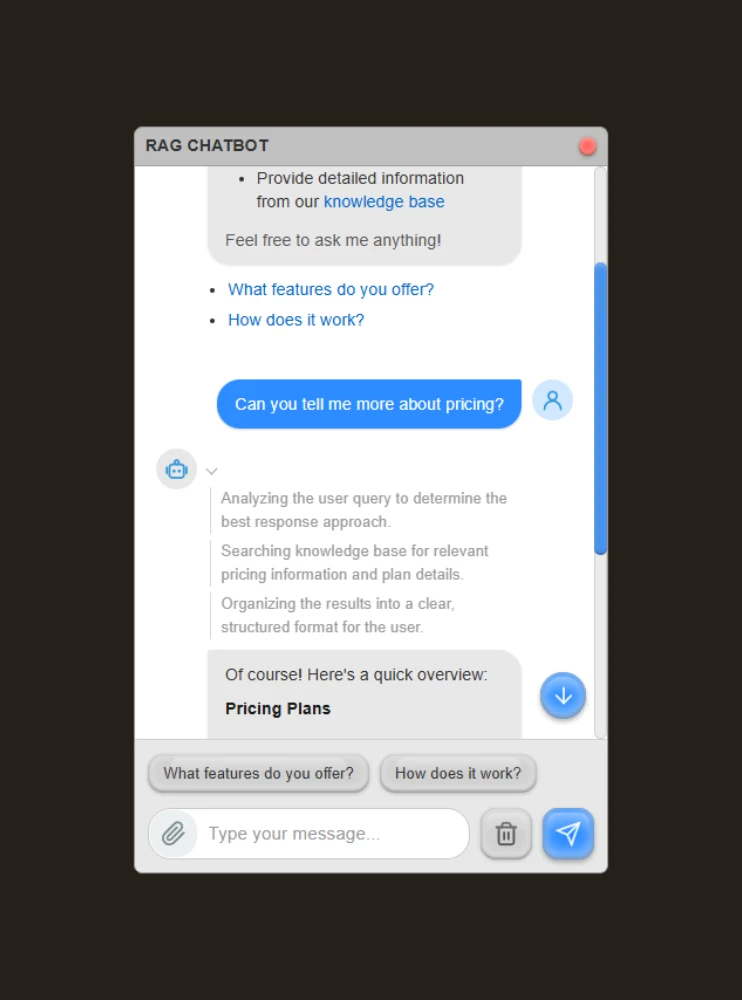
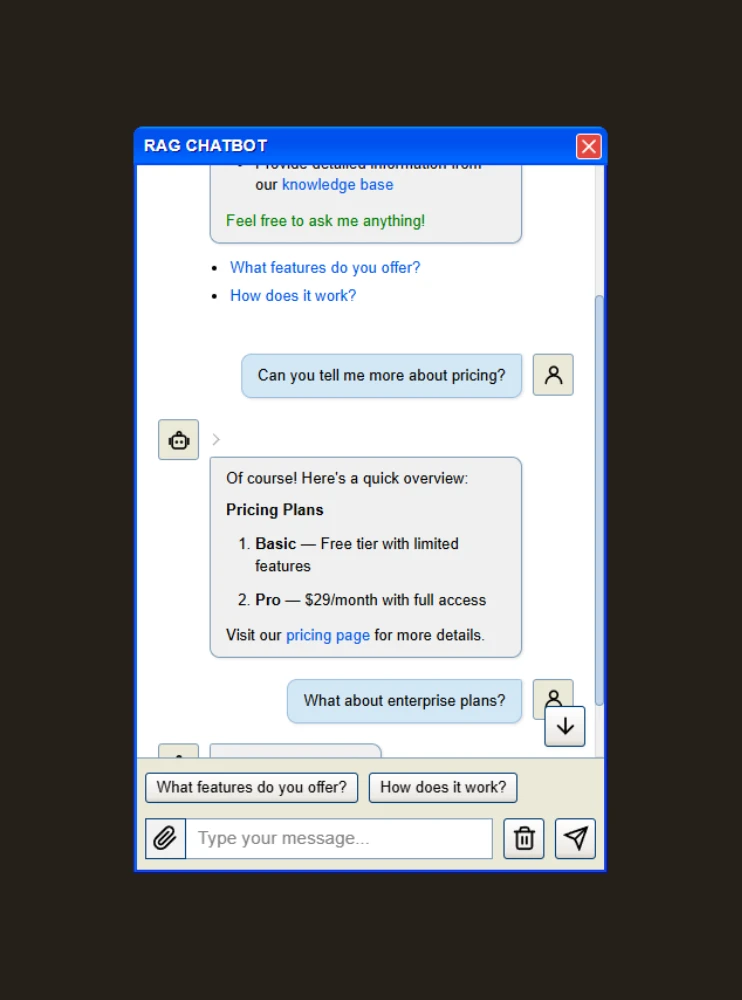
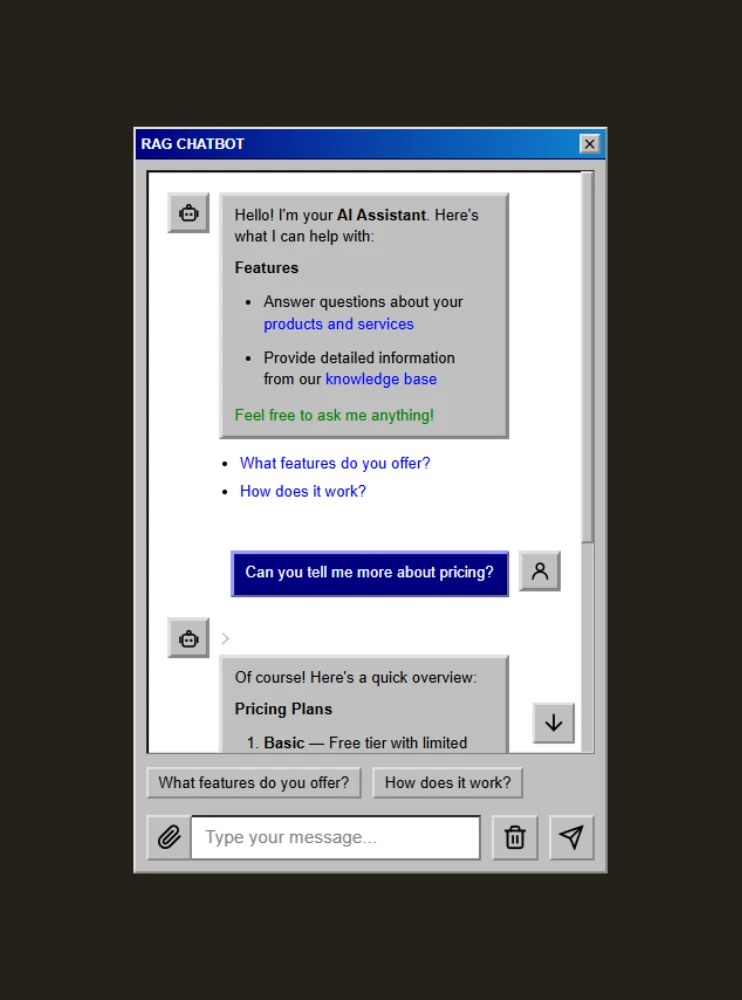
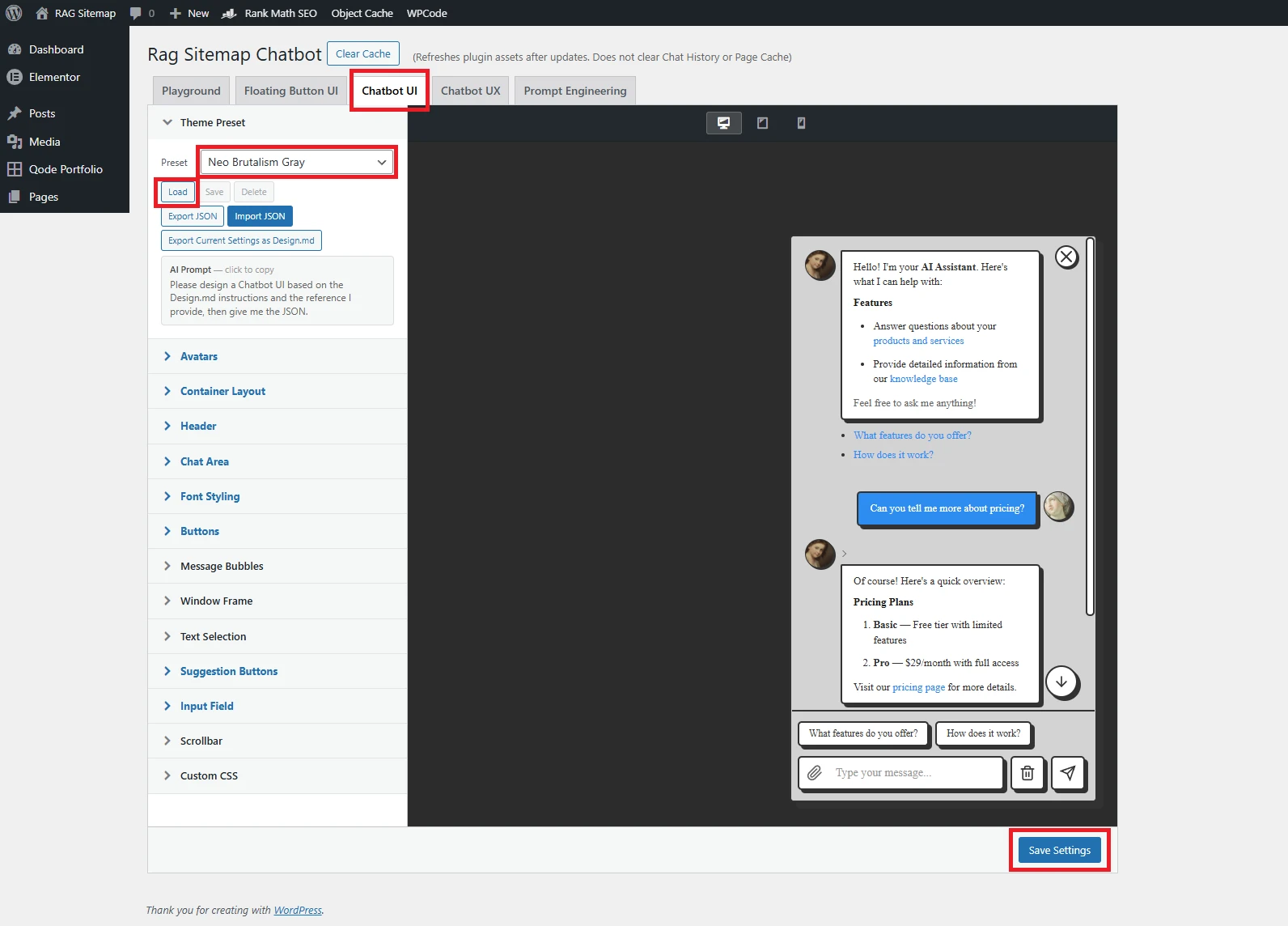
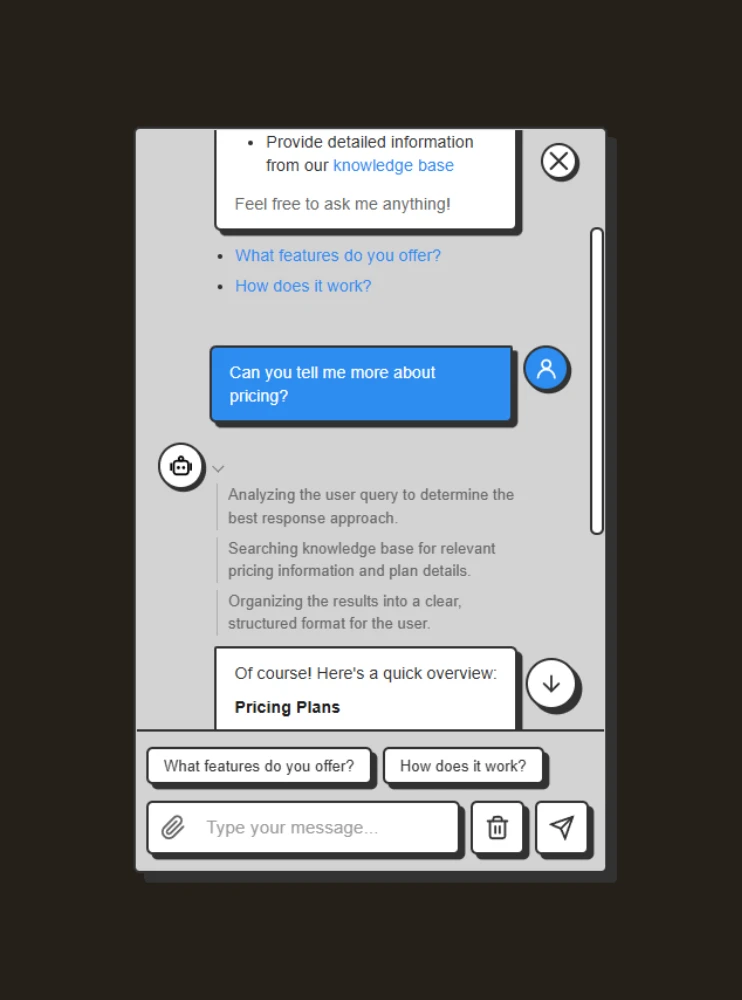
Several preset themes can be applied directly, and per-item fine-tuning is there too, but that is the basics. The real highlight is Export as Design.md, which exports your settings into a spec document an AI can read; hand it, along with a reference image, to ChatGPT, Gemini, or Claude, and you can directly copy the JSON parameters the AI generates from the instructions to import a new design.

#Setup in 6 Steps

Step 1

RAG Sitemap:選擇資料來源

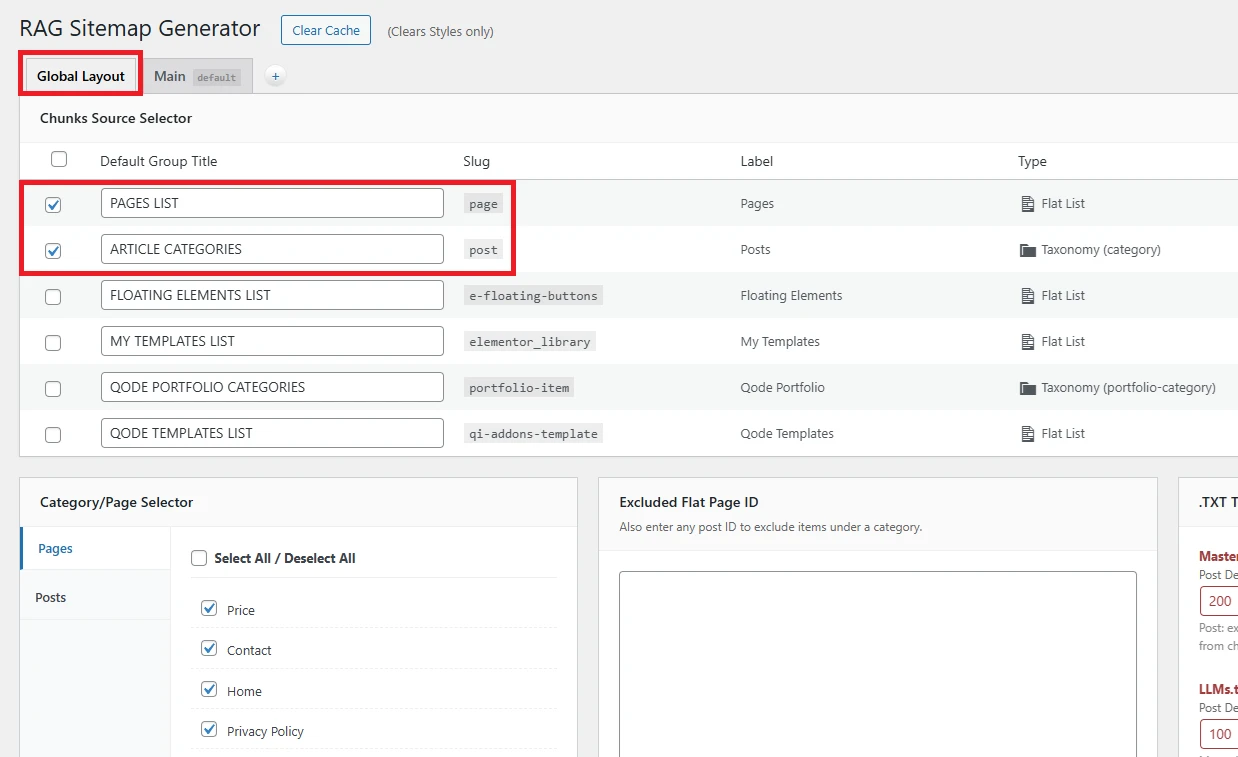
進到 RAG Sitemap 設定頁,最左邊的 Global Layout 分頁是檢索資料來源的總開關。勾選 Pages 與 Posts 兩項基本來源,右下角按儲存。預設會依照你 WordPress 既有的分類自動建立 RAG Sitemap,不需要重新整理內容。
Step 2

RAG Sitemap:生成 Master Sitemap

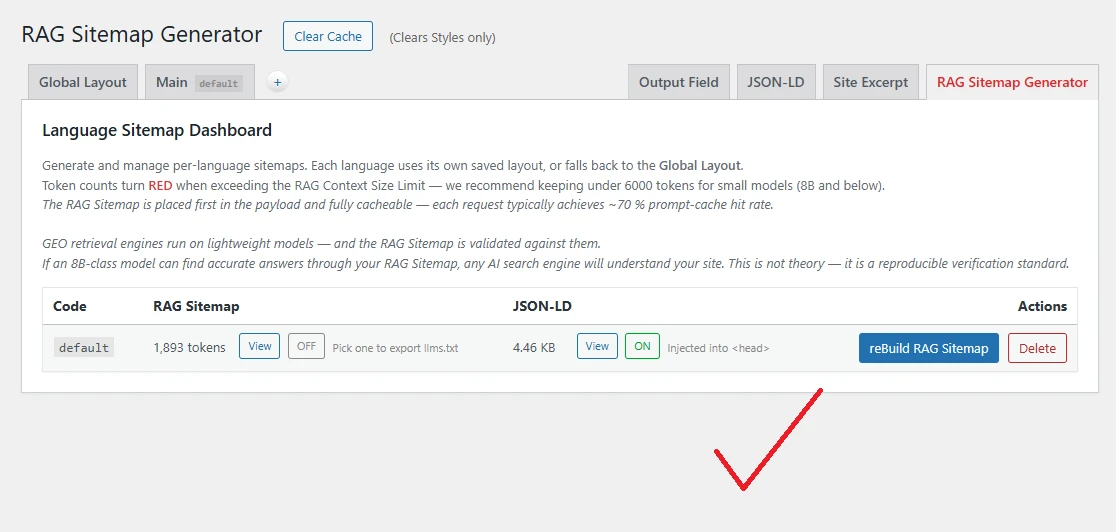
切到最右邊的 RAG Sitemap Generator 分頁,點 reBuild RAG Sitemap 按鈕。系統會依照 Global Layout 的設定,把網站結構讀過一遍,生成一份 Master Sitemap 純文字檔給 RAG Chatbot 使用。生成後可以直接在同一頁預覽 token 數,超過建議值會自動標紅提示。
Step 3

Chatbot UI:套用視覺主題

進到 RAG Chatbot 設定頁,Floating Button UI 與 Chatbot UI 兩個分頁各自從 Preset 下拉選一個喜歡的主題,按 Load 套用,右下角儲存。每個分頁都備有從現代到復古的多套風格,挑一個最貼合你網站氣質的就好——之後隨時可以換。
Step 4

申請 LLM API Key

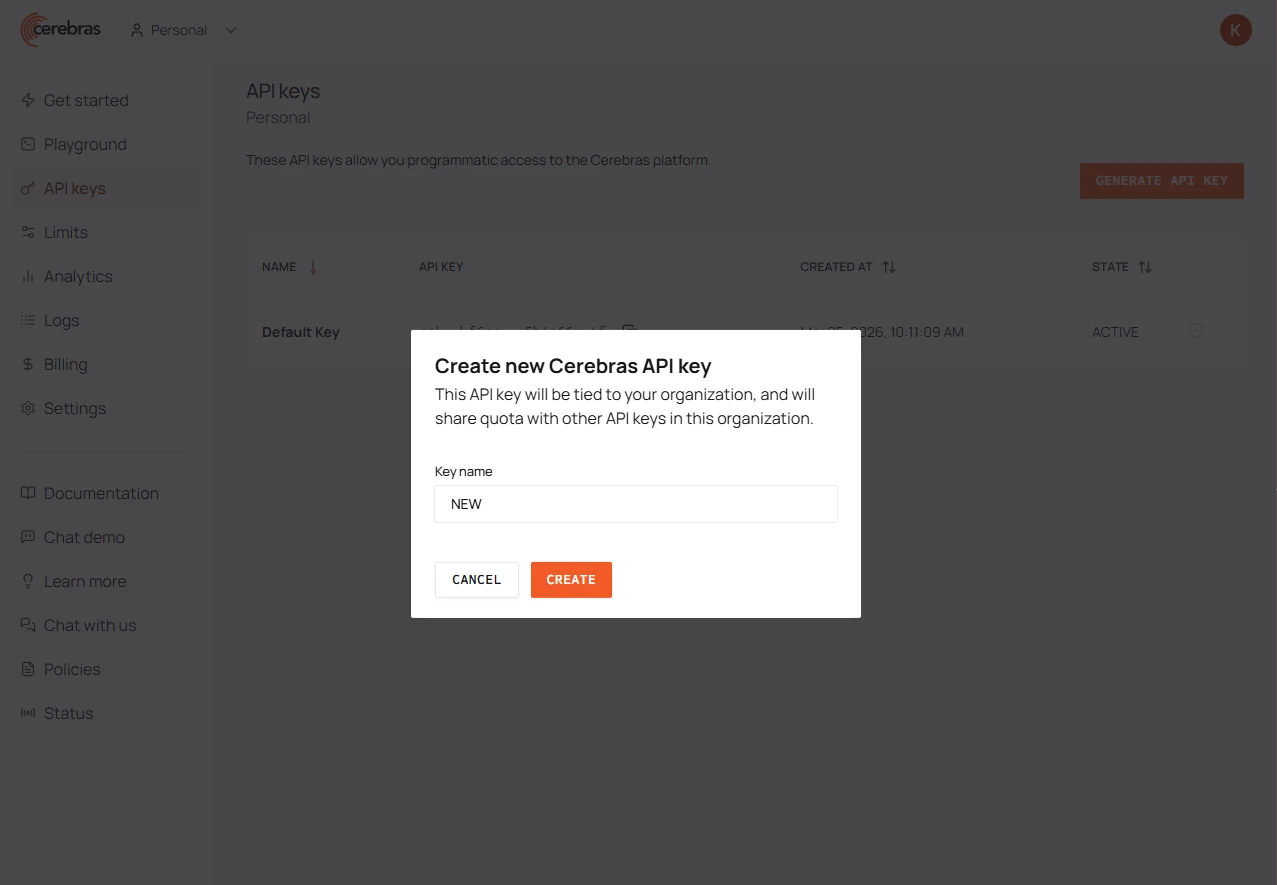
多數廠商用 Google 帳號即可申請,並提供每日的免費額度。RAG Chatbot 採 BYOK 架構,支援模型原廠、雲端代理(Cerebras、OpenRouter)、與 vLLM。三個通道(Vision/檢索/最終回應)可各自串接不同 API key 做分流,最推薦的免費組合是 Cerebras + Gemini Flash 。 RAG Chatbot 不對任何 token 加收費用。
Step 5

API Keys:填入金鑰

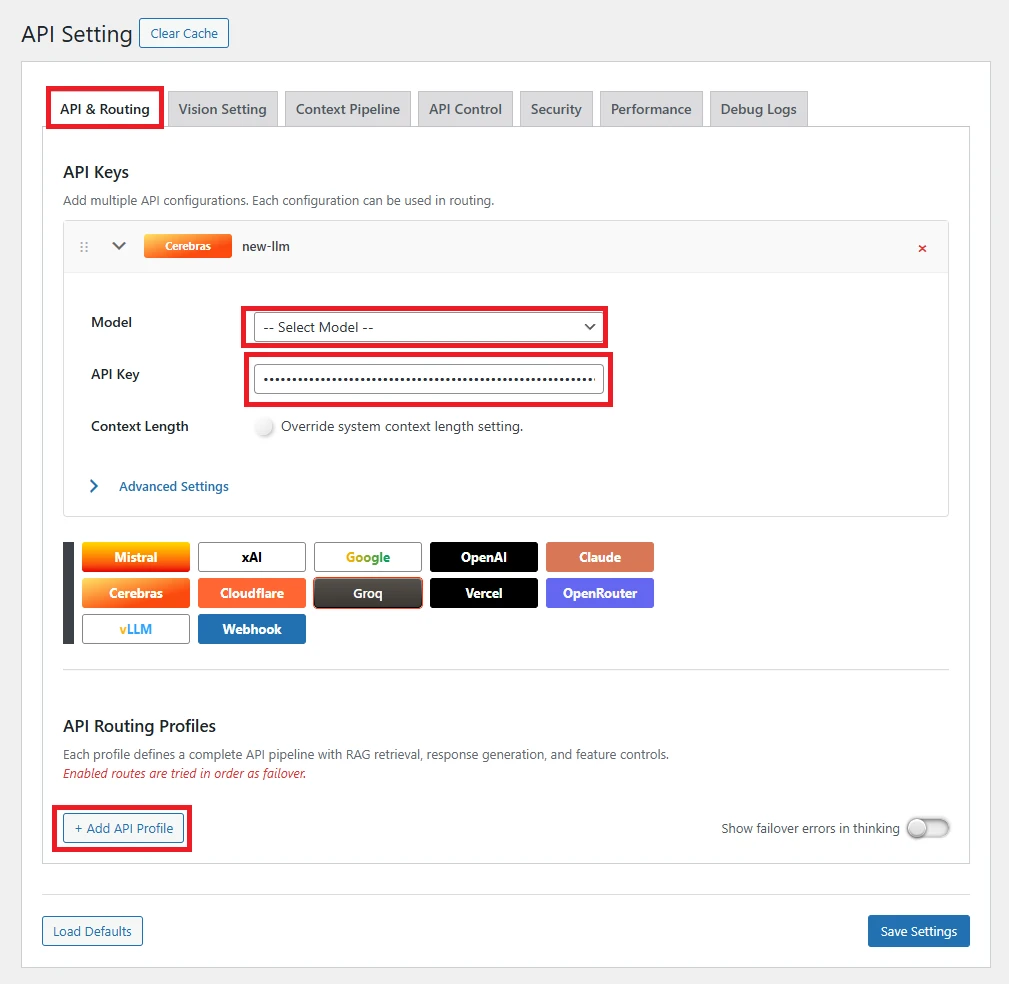
在 API & Routing 分頁上半部,點選你要使用的廠商按鈕,會新增該廠商的 API configuration 卡片。貼入 key、選好模型,右下角儲存。同一把 key 可以儲存在多張卡片中,分別綁定該廠商旗下不同的模型,方便下一步做路由分流。
Step 6

API Routing Profile:選擇模型

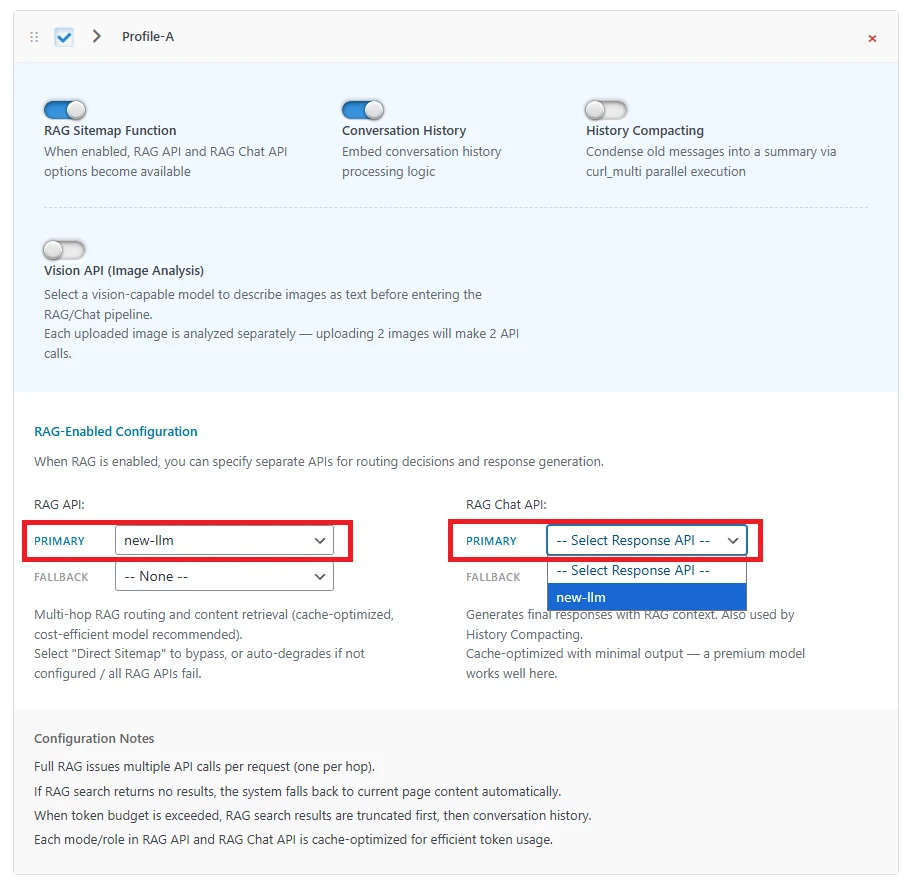
API & Routing 分頁往下捲,點 + Add API Profile 建立一條路由。在 RAG API(負責檢索的那段)與 RAG Chat API(負責回答的那段)的下拉選單中,各選一張 Step 5 設好的卡片,右下角儲存。兩段可以指向同一張卡片,也可以分頭走:便宜的小模型跑檢索,擅長表達的大模型寫回答,完全自由搭配。
Done

到 Playground 測試

回到 RAG Chatbot 設定頁,最左邊的 Playground 分頁就是內建測試環境。問幾個你網站本來就有答案的題目,讓 RAG Harness 帶著 LLM 走完所有流程,從網站上找到正確答案。